
Weather Live Wallpapers
SkySkyWeather
4.5624.00 Reviews
- Version
- 2.42.0
- Installs
- 1.00M
- Age Rating
- Everyone
Screenshots
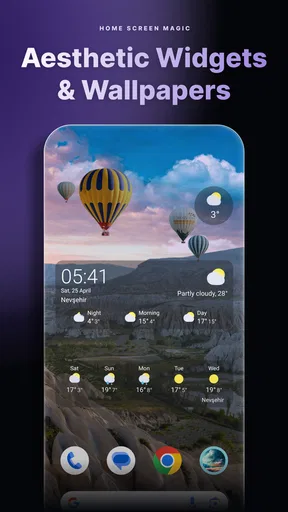
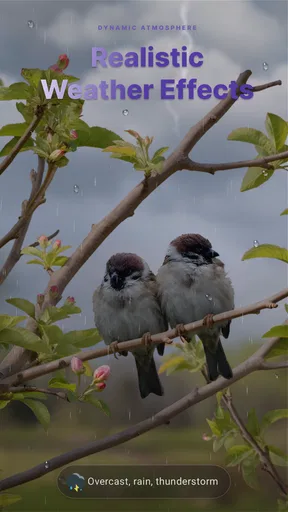
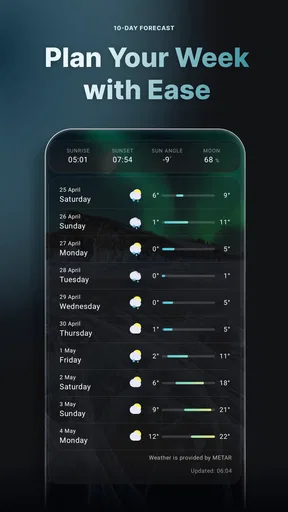
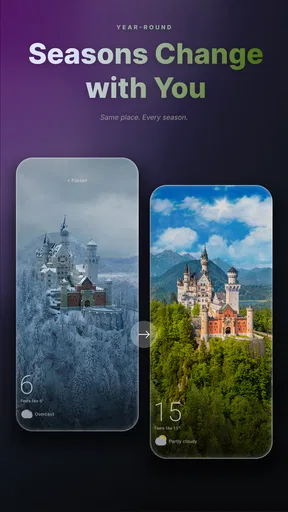
Our Review of Weather Live Wallpapers
 Analysis by Appyee
I judge a live-weather wallpaper by two things: whether it makes my screen nicer to look at and whether it helps me make a small, useful decision before I open another app. Weather Live Wallpapers aims to do both, putting changing weather scenes on the display rather than leaving the background as a static picture. I like the idea most when I want a quick visual cue before heading out, not when I need a detailed forecast for a serious plan.
A useful baseline: glance first, check details second
My practical way to use a weather wallpaper is to treat it as a glanceable layer, not a replacement for a full forecast. In the morning, I can notice the scene while unlocking the phone and decide whether the day looks worth checking more closely. If rain or a change in conditions matters to my plans, I would still open a dedicated weather view before leaving. That distinction keeps the wallpaper helpful without asking it to do more than its format is suited for.
The simplest routine is to choose a look I can live with all day, then let the changing weather supply the visual variation. That makes the screen feel personal without turning every unlock into a new decision. If I am checking the phone often, a calm, readable background is more useful than one that competes with icons and text. I would pick for everyday comfort first and novelty second.
For a realistic example, imagine checking your phone before walking to work. A weather-themed background can prompt you to pause and open a forecast if the conditions look uncertain, or remind you to reconsider a light jacket on a visibly unsettled morning. It is a nudge, not a guarantee about what you will encounter on the route. For a long trip, outdoor event, or time-sensitive appointment, I would confirm the forecast separately rather than trusting a visual effect alone.
Settings that deserve a quick look
Before settling on a wallpaper, I would spend a moment checking its available customization settings. The app is presented as both animated and interactive, so it makes sense to explore how its presentation responds to your preferences instead of accepting the first look by default. The key question is whether the background remains pleasant and legible on your particular screen, especially behind the icons you use most.
I would also think about when and where I use my phone. A vivid animated scene might be enjoyable at home but distracting during a workday, while a quieter visual choice can be easier to live with across repeated checks. If you prefer one particular look, prioritize that preference over constant novelty. A weather wallpaper works best when its visual layer supports your normal phone habits rather than asking you to keep adjusting it.
One useful trade-off is to separate what you want from the wallpaper and what you need from a forecast. If you want atmosphere and a quick reminder that conditions can change, this format fits. If you need detailed planning information at a glance, a conventional forecast screen or widget is the more direct tool. I would make that choice before spending time personalizing the background.
Faster habits without overcomplicating the screen
Once the wallpaper is set, the quickest workflow is simply to use the screen you already see. I would avoid adding extra steps just to make the app feel more involved: glance at the background, then open a forecast when the weather affects a decision. That small habit keeps the visual benefit while preserving a reliable check for details that matter.
It also helps to test the wallpaper during ordinary use, not just while choosing it. Look at it with your usual icons, notifications, and brightness, then decide whether the animation still feels comfortable. If it draws your eye away from the information you came to check, switch to a more subdued option or a static background. A personalized screen should make the phone easier to enjoy, not harder to use.
Where this format has limits
A live background has a different job from a full weather app. The scene can add context and character, but I would not rely on it for precise decisions such as timing a commute around a shower or preparing for changing outdoor conditions. Those situations call for a forecast view you can inspect directly. This is also not the right choice if you want a completely still screen or find motion distracting.
Battery and smoothness are fair questions with any animated wallpaper. I would judge them on my own phone over normal use rather than assume every device behaves the same way. If you notice that the animation makes the screen feel less responsive or affects battery life in a way you dislike, the sensible answer is to change the presentation or stop using a live background. Convenience matters more than keeping an effect you do not enjoy.
It is also worth knowing what kind of purchase you are choosing. The app is free to install, with optional in-app purchases ranging from $1.99 to $16.99 per item, so I would start with the free experience and only consider paying if the available customization genuinely improves my everyday use. There is no reason to spend just because the screen can be made more elaborate.
As a weather app from SkySkyAm, Weather Live Wallpapers has a 4.5 average from around 24,000 ratings and more than a million installs. It was released on December 6, 2018, and its current version is 2.26.0, with Android 9 as the minimum operating system. The app is rated for Everyone. Those details make it easier to judge whether it fits your device and preferences, but they do not change the basic point: this is a visual companion, not a substitute for checking a forecast when accuracy matters.
Transforming Your Screen Experience
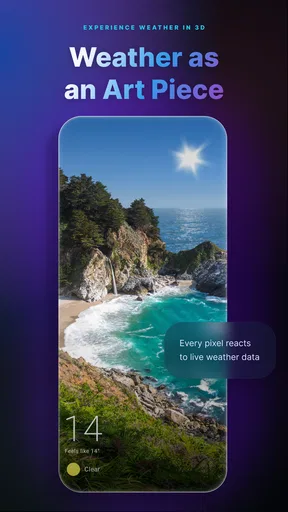
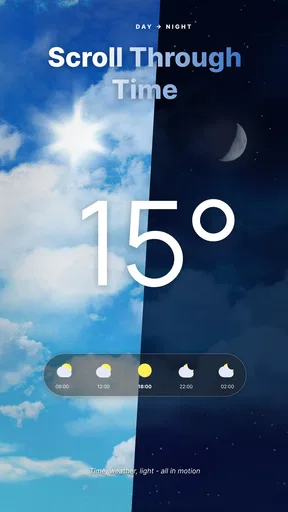
Imagine waking up, grabbing your phone, and getting an instant feel of the weather outside without even checking your weather app. That’s exactly what Weather Live Wallpapers does. It integrates live weather updates into stunning animated wallpapers that reflect real-time conditions. Whether it’s a sunny day, a cozy rain shower, or a dramatic thunderstorm, your screen mirrors Mother Nature’s mood.
Features That Stand Out
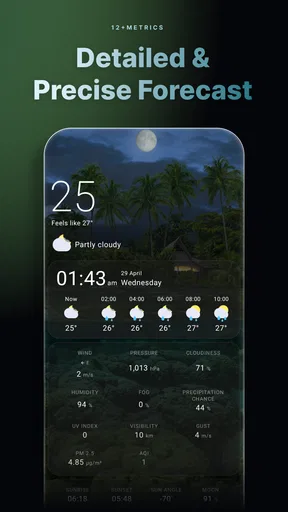
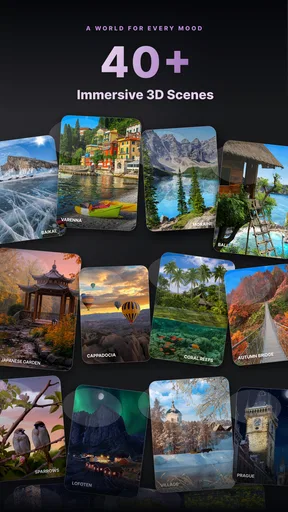
Alright, let’s talk features. First off, the app offers a wide range of themes. From serene landscapes to vibrant cityscapes, there’s something for everyone. The animations are smooth, giving life to your device in a way that’s captivating yet not overwhelming. And it’s not just about looks. The app provides accurate weather forecasts right on your home screen, with details like temperature, wind speed, and humidity.
The customization options are another big win. You can tweak the settings to match your preferences. Want less animation during work hours? No problem. Prefer a specific theme regardless of the weather? You got it. The app’s flexibility ensures it fits seamlessly into your daily routine.
Performance and Usability
Worried about battery drain? I was too, but thankfully, Weather Live Wallpapers is optimized for performance. The developers have ensured that the animations run smoothly without hogging your battery life. Plus, the app is designed to work flawlessly across various devices, whether you’re on the latest iPhone or an older Android model.
Installation is a breeze. You just download the app, pick your theme, and voilà—your screen is instantly transformed. The user interface is intuitive, making navigation a walk in the park, even for the less tech-savvy among us.
Why It’s Worth It
So, why should you consider adding Weather Live Wallpapers to your device? Quite simply, it elevates your everyday phone interaction. Instead of a static image, you get a living, breathing background that keeps you informed and entertained. It’s like having your very own weather station right in your pocket, but way cooler.
The app also adds a personal touch to your device. You can express your style and mood through your wallpaper, making your phone truly yours. Whether you're a nature lover, a city dweller, or someone who just appreciates good design, there’s something here for you.
Another perk is how it keeps you connected to the world outside, even when you’re indoors. It’s a subtle reminder of the beauty and volatility of nature, right at your fingertips.
Final Thoughts
All in all, Weather Live Wallpapers is more than just an app; it’s an experience. It’s functional, beautiful, and incredibly easy to use. If you’re looking to add some spice to your device while staying informed about the weather, this app is a fantastic choice.
Ready to transform your screen? Download Weather Live Wallpapers today and let your phone reflect the weather’s ever-changing canvas. Trust me, you won’t look back!
Verdict
Strengths of Weather Live Wallpapers
- Stunning, high-resolution graphics.
- Real-time weather updates.
- Customizable wallpaper settings.
- Battery-efficient performance.
- User-friendly interface.
Limitations of Weather Live Wallpapers
- Limited free features.
- Ads can be intrusive.
- Requires internet for updates.
- Can be resource-heavy on older devices.
- Occasional lag on animations.
Similar Picks in This Category
View All
Weather - By Xiaomi
Xiaomi Inc.4.1

Weather & Radar Forecast
WetterOnline4.8

Weather
OneLouder Apps4.6

AccuWeather: Weather Radar
AccuWeather3.6

The Weather Channel - Radar
The Weather Channel4.6

1Weather Forecasts & Radar
OneLouder Apps4.3
Frequently Asked Questions
What features does Weather Live Wallpapers offer?
Weather Live Wallpapers provides a dynamic backdrop to your device with real-time weather updates. It includes features such as customizable themes, detailed weather forecasts, and the ability to display local time and temperature. The app also offers a variety of animated scenes that change according to the current weather conditions.
Is Weather Live Wallpapers compatible with all Android and iOS devices?
Weather Live Wallpapers is designed to work on most Android and iOS devices. However, compatibility may vary based on the device's operating system version. It's recommended to check the app's requirements on the download page to ensure your device is supported. This will help avoid any performance issues.
Does the app consume a lot of battery power?
Weather Live Wallpapers is optimized to minimize battery consumption, but it does use more power than static wallpapers due to its animated and real-time features. Users can adjust settings to reduce battery usage by limiting animations or updating weather data less frequently. Consider these adjustments if battery life is a concern.
Can I customize the weather themes within the app?
Yes, users can fully customize the weather themes. The app offers a range of themes that can be personalized to match your preferences. You can choose different animations, change color schemes, and even set specific scenes for different weather conditions. This ensures a unique and personalized experience.
Is an internet connection required to use Weather Live Wallpapers?
An internet connection is required to receive real-time weather updates and forecasts. The app needs to access online data to provide accurate weather conditions. However, once the data is downloaded, the app can function offline until the next update is needed. Ensure you have a stable connection for the best experience.
